Online Booking Systems: When Is a Custom Solution Worth It?
An online booking system helps businesses manage appointments, staff availability, payments, and customer confirmations. Discover when an existing platform is sufficient and when developing custom booking software makes business sense.
By Serginho Cerezo 13 min read Updated November 11, 2026
In this article
- What is an online booking system?
- When manual appointment management becomes a problem
- The benefits of accepting bookings through your website
- Custom booking software or a subscription-based platform?
- Online appointment systems for clinics and medical practices
- Booking systems for beauty centres and professional services
- Integrating online payments and appointment deposits
- Automated confirmations and WhatsApp reminders
- Managing cancellations, rescheduling, and availability
- Connecting booking software with existing business systems
- What features should an online booking system include?
- How much does custom booking software cost?
- When is a custom online booking system worth developing?
A business that receives appointments through phone calls, WhatsApp, or email can usually manage its schedule without much difficulty when customer volume is relatively low. However, as demand grows, administrative tasks begin to consume more time: checking available slots, answering repetitive questions, rescheduling appointments, recording cancellations, and confirming whether customers have paid their deposits.
This situation is common in medical practices, clinics, beauty centres, hair salons, and professional service businesses. It also affects hotels, restaurants, and other companies that operate through reservations. Although their services differ, they all need reliable information about the availability of staff, facilities, equipment, and services.
An online booking and reservation system can help organise these processes while allowing customers to check availability and make bookings directly through a company's website. Depending on the business requirements, the solution may involve an existing subscription-based platform or a custom application developed specifically for its operations.
The decision to build a proprietary system should consider booking volume, scheduling rules, the number of employees, business locations, and required integrations. Not every company needs to develop its own software, but not every commercial booking platform can accommodate the way a particular business operates.
What is an online booking system?
An online booking system is an application that allows customers to check availability, select dates and times, and submit appointment or reservation requests. It can operate directly within a company's website or through an external platform that manages bookings.
A basic system displays available time slots, collects customer information, and sends confirmations. More advanced solutions may include advance payments, cancellation policies, staff allocation, room or equipment management, automated reminders, and multiple-location administration.
For example, a medical clinic may offer appointments across several specialties, each requiring different consultation lengths and qualified professionals. The system must consider these conditions before displaying available appointments. In a beauty centre, availability may depend not only on the employee's schedule but also on whether a treatment room or specialised piece of equipment is available.
For accommodation providers, availability depends on rooms, check-in and check-out dates, and booking conditions. Restaurants must consider table capacity, seating arrangements, and service periods.
These differences explain why an online booking system is more than a calendar embedded in a website. To work reliably, it must reflect the actual conditions under which the business delivers its services.
When manual appointment management becomes a problem
Manual scheduling can remain practical for a long time, particularly when a company has a small team and a limited number of daily appointments. Problems begin when employees spend a significant part of their working day checking information that customers could access themselves.
A common example occurs when someone asks about an available appointment through WhatsApp, receives a response, and takes several hours to confirm. During that period, another customer may request the same time slot. Without a centralised, updated schedule, the business risks confirming two appointments for the same employee.
Mistakes can also happen when several team members manage requests. An appointment recorded in one calendar may not appear in another, a cancellation may remain unprocessed, or a schedule change may only be communicated to one employee.
Beyond the administrative workload, these situations affect the customer experience. Someone who needs to book a medical appointment outside business hours may abandon the process if they have to wait until the following day to check availability.
When these problems become frequent, introducing an online booking system can improve operational coordination and reduce reliance on manual confirmations.
The benefits of accepting bookings through your website
Allowing customers to schedule appointments directly through a website makes services more accessible without requiring an employee to respond to every request.
Customers can select a service or specialty, check available times, and complete a booking from their mobile phone or computer. If automated confirmations are enabled, they can receive the appointment details without waiting for a manual response.
For the business, this creates a centralised record of bookings and changes. Employees can review upcoming appointments, identify cancellations, and prepare the resources needed to deliver each service.
Another advantage is the opportunity to present relevant commercial information during the booking process. A beauty centre might offer complementary treatments, while a professional services company could allow customers to choose between in-person and virtual appointments.
However, adding online booking does not automatically increase sales or customer volume. Results also depend on how easy the booking process is, whether service descriptions are clear, how trustworthy the website appears, and whether suitable appointment times are actually available.
Custom booking software or a subscription-based platform?
Many commercial platforms provide online booking functionality through monthly or annual subscriptions. For businesses with relatively standard scheduling requirements, these tools may solve the problem without a significant initial development investment.
For example, an independent professional offering appointments of a fixed duration may find that an existing scheduling application meets all their needs. If the main requirements are displaying availability, accepting reservations, and sending reminders, custom software may add unnecessary cost and complexity.
A custom booking system becomes more relevant when business rules require specialised functionality. This may happen when availability depends on several employees and resources, different customer groups have different booking conditions, or appointments must be connected to other internal processes.
It may also make sense when a company operates multiple locations, needs to integrate bookings with an existing management system, or follows specific payment and confirmation procedures.
The comparison should account for initial investment, subscription fees, transaction charges where applicable, ongoing maintenance, and future growth. An off-the-shelf platform may remain sufficient for years, while custom development can become justified when existing products cannot support essential business requirements.
For a broader perspective, our article on when a small business needs custom management software explores the operational factors that can justify investing in a tailored application.
Online appointment systems for clinics and medical practices
Medical scheduling requires more than assigning a patient to an available time slot. Clinics may need to coordinate specialties, healthcare professionals, consultation lengths, treatment rooms, and equipment. Some procedures also require preparation time or specific resources.
For example, a medical centre may have professionals working across different locations or sharing consultation rooms at different times. The scheduling system must coordinate these conditions to prevent conflicts and display only appointments that can actually be booked.
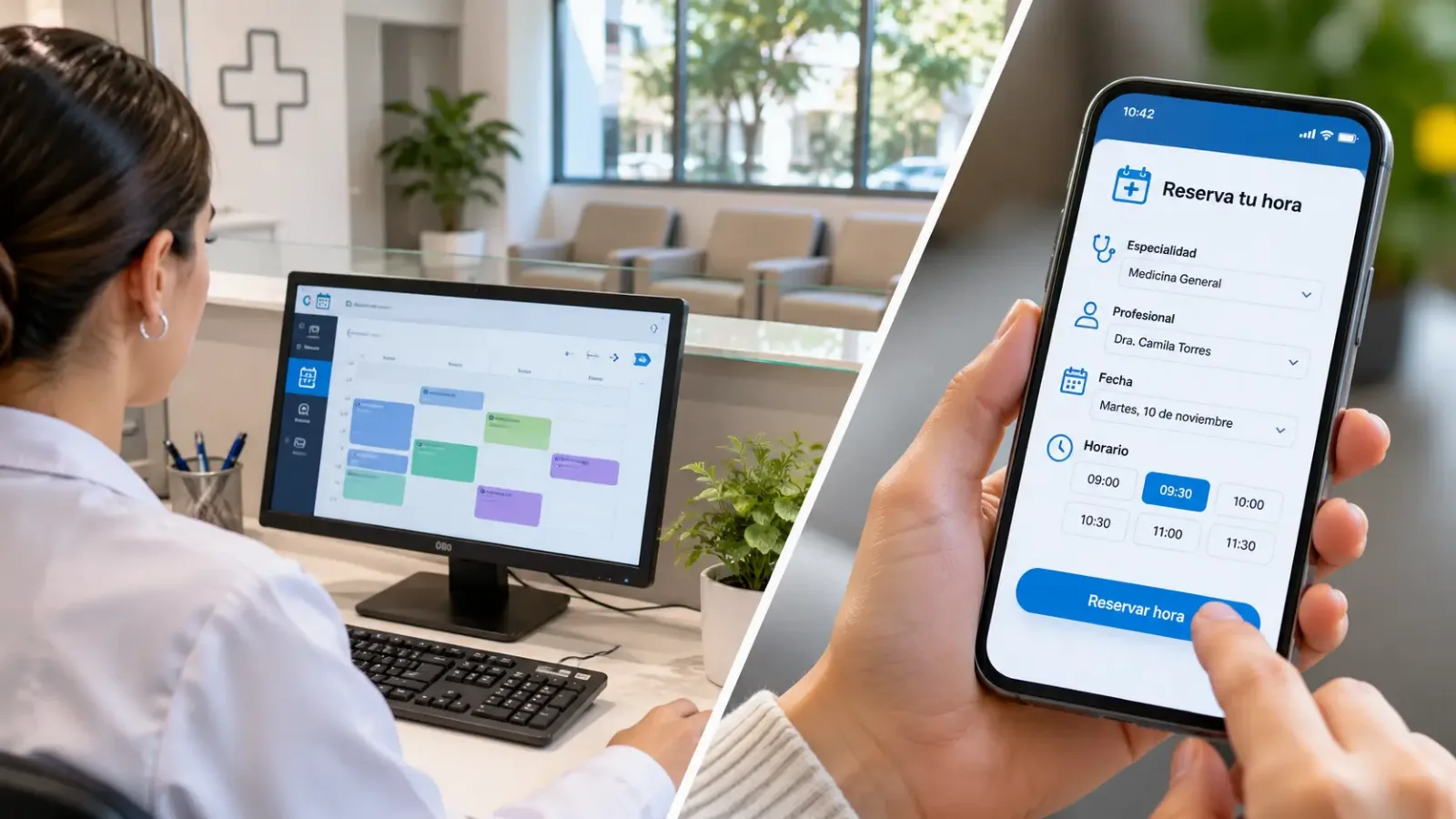
From the patient's perspective, the process should be straightforward. They select a specialty, choose a professional when appropriate, review availability, and confirm the appointment from their mobile phone. Reception staff, meanwhile, have access to a centralised schedule for reviewing upcoming consultations, recording cancellations, and managing changes.
Healthcare businesses must also consider personal data protection. In the European Union, the General Data Protection Regulation (GDPR) establishes requirements for processing personal data. Health information receives additional protection under the regulation, and organisations must have an appropriate legal basis and satisfy the relevant conditions for processing it.
A medical booking system should therefore collect only the information necessary for scheduling, establish appropriate access permissions, and prevent unauthorised disclosure of patient data. If the application also handles medical records, prescriptions, or clinical information, additional controls and sector-specific legal requirements may apply.
Booking systems for beauty centres and professional services
Beauty centres, hair salons, wellness businesses, and other appointment-based services can also benefit from digital scheduling. However, their operational requirements may differ considerably from those of a medical clinic.
A beauty centre may offer treatments lasting thirty, sixty, or ninety minutes, delivered by professionals with different qualifications. Some services require dedicated rooms or shared equipment, meaning availability depends on more than an employee's calendar.
A booking system can coordinate these conditions, prevent incompatible reservations, and allow customers to choose the services they want. It can also support deposits, promotional offers, and reminders according to the company's commercial policies.
For businesses with multiple branches, centralised administration can provide visibility into each location's availability while maintaining consistent scheduling procedures. Individual locations can still manage their own employees and resources.
Implementation should follow the actual needs of the business. Adding features that employees do not need can make daily operations more complicated rather than more efficient.
Integrating online payments and appointment deposits
Some businesses require customers to pay a deposit before confirming an appointment. This may be useful when services involve advance preparation, limited availability, or the exclusive allocation of a professional for a particular period.
Integrating a compatible payment provider can allow customers to pay during the booking process. Once the transaction has been verified, the system can update the reservation status and send the appropriate confirmation.
Depending on the country and payment provider, integrations may include Stripe, PayPal, card payments through banking providers, or locally supported payment methods. For businesses operating in Spain or Portugal, the available options may also include payment services commonly used in those markets, provided the relevant providers support the required integration.
The process must handle pending payments, declined transactions, cancellations, and refunds. It is important to prevent duplicate payment notifications from creating duplicate bookings or abandoned payments from blocking appointment slots indefinitely.
Commercial conditions should be communicated before the customer completes the booking. If deposits are non-refundable under certain circumstances or cancellation fees apply, those policies should be clearly explained and comply with applicable consumer protection requirements.
Not every business needs advance payments. In some cases, confirming the appointment and collecting payment when the service is delivered is sufficient.
Automated confirmations and WhatsApp reminders
A significant part of reception work involves communicating information that has already been recorded: appointment dates, times, staff members, addresses, and schedule changes.
A booking system can automate these communications through email and, where supported by the relevant integrations and permissions, WhatsApp. After confirming a medical appointment, for example, a patient could receive a message containing the date, time, clinic address, and necessary attendance instructions.
Reminders can also be scheduled before appointments. These notifications may help customers remember their commitments and provide an opportunity to request a change or cancellation.
However, automated communications must remain synchronised with the booking database. If an appointment is rescheduled, the system must use the updated information to avoid sending incorrect reminders.
WhatsApp integrations should use officially supported mechanisms and comply with the platform's messaging requirements, customer permissions, and communication preferences. Healthcare businesses should also avoid including unnecessary medical information in notifications.
Managing cancellations, rescheduling, and availability
An online booking system must handle what happens after an appointment is requested. Customers may need to change dates, cancel appointments, or find alternatives when their selected professional becomes unavailable.
This makes it important to define booking statuses. An appointment awaiting payment should not necessarily be treated in the same way as a confirmed reservation, while a cancellation may release availability for another customer.
Businesses may also have specific rules. They might allow rescheduling up to a defined deadline, require approval for certain changes, or temporarily reserve a time slot while a customer completes payment.
These conditions should be reflected in the application's behaviour. If the software cannot accommodate the company's actual procedures, employees will eventually create parallel spreadsheets or manual checks to compensate for missing functionality.
Before developing or selecting a solution, it is worth reviewing how schedule changes are currently handled and identifying the most frequent exceptions. This information helps establish processes that work for both customers and administrative teams.
Connecting booking software with existing business systems
A booking application can operate independently, but some companies benefit from connecting it with other software.
A clinic may need to link appointments to an administrative management system, while a beauty centre might want reservations associated with each customer's commercial history. Other integrations may involve invoicing software, payment platforms, customer relationship management systems, or communication tools.
These connections can reduce duplicate data entry and keep different activities coordinated. If a customer reschedules an appointment, the change can be reflected in connected systems, provided the integration supports that exchange.
Technical feasibility depends on the applications involved. Some platforms offer documented APIs and established methods for exchanging information, while others impose restrictions.
In these situations, business automation and systems integration can help connect existing tools and reduce repetitive administrative work. Before developing an integration, it is important to determine which information can be exchanged, which application owns each record, and how communication failures will be handled.
What features should an online booking system include?
The necessary features depend on the type of business, but several capabilities deserve consideration in almost every implementation.
Availability management comes first. The application must display time slots that can genuinely be booked and update the schedule when an appointment is confirmed. Authorised employees should also be able to review bookings through an administrative dashboard.
User experience is another important factor. A process that requires too many steps, asks for unnecessary information, or works poorly on mobile devices may cause customers to abandon their booking before completing it.
Other useful capabilities include confirmations, rescheduling, cancellations, user permissions, and access to booking history. Businesses requiring advance payments should also consider appropriate payment integrations.
Security and operational continuity are part of the project. Customer information must be protected, access permissions should be controlled, and mechanisms should exist to detect failures and restore operations after an interruption.
An application with an extensive feature list is not necessarily the best solution. The priority is to support the business's actual processes reliably.
How much does custom booking software cost?
The cost of developing a booking system depends on its scope. An application that manages appointments for a single independent professional is substantially less complex than a platform coordinating multiple locations, specialties, resources, payments, and external systems.
Factors influencing development costs include the number of appointment types, scheduling rules, user roles, integrations, and customer communication requirements. The booking interface, testing procedures, and administrative dashboard must also be considered.
Beyond initial development, a proprietary platform requires hosting, maintenance, security updates, and technical support. These ongoing expenses should be included in the financial assessment rather than treating development as a one-time investment.
Before requesting a quote, a business should document how bookings are currently received, who manages them, what conditions must be met, and which operational problems need to be solved. This information makes it easier to define an initial scope and compare custom development with existing commercial alternatives.
When is a custom online booking system worth developing?
Custom booking software can be a suitable option when a company needs to manage procedures that existing platforms cannot support, connect reservations with other business systems, or introduce specialised features for its customers.
It may also make sense when the business wants to establish a digital booking channel that forms part of its wider commercial operations and can evolve as requirements change. In these cases, the project must consider both the customer booking experience and the tools employees will use to manage appointments.
At DodoLab, we develop web applications, business systems, and integrations for companies looking to improve their operations and digital services. Through custom software development, a booking project can begin with essential functionality and expand over time, provided its technical architecture supports future requirements.
The decision should not be based solely on the appeal of owning proprietary software. A booking system creates business value when it reduces administrative work, improves control over availability, and makes services easier for customers to access.
For some companies, an existing commercial platform will be entirely sufficient. For others, a custom application will provide the flexibility needed to support specific operating conditions and connect bookings with the rest of the business. The most appropriate choice is the one that meets those requirements at a sustainable development and maintenance cost.
Frequently asked questions
1. Is it better to use an existing booking platform or develop custom software?
It depends on the business requirements. An existing platform is often more cost-effective when scheduling procedures are straightforward and the available features cover daily operations. Custom development may be worthwhile when a business has specialised rules, multiple locations, complex resource allocation, or integrations that commercial platforms cannot support.
2. Can an online booking system integrate with Stripe, PayPal, or local payment methods?
Yes. When compatible integration methods are available, a booking application can accept deposits or full payments and update reservation statuses after verifying transactions. Availability depends on the provider, country, account configuration, and technical requirements.
3. Can online booking functionality be added to an existing website?
Yes. Depending on the website's technology and the booking solution, scheduling functionality can be incorporated through an integration, a dedicated module, or a connected application. Rebuilding the entire website is not always necessary.
Was this article helpful?
Get an assessment